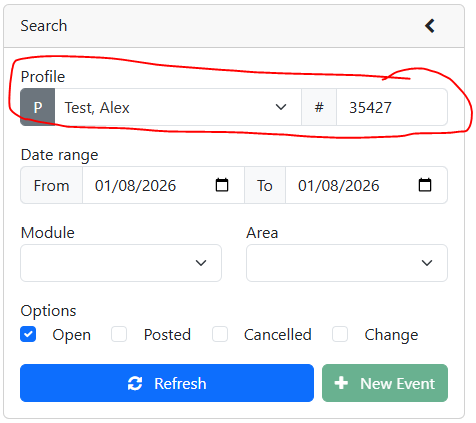
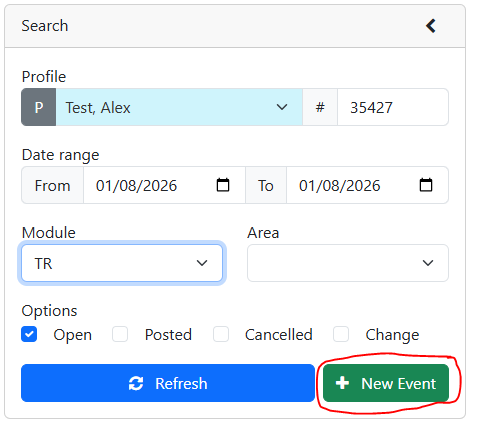
2.Optional - Search for the profile you would like to make events for.
3.Select the module for the event you would like to create
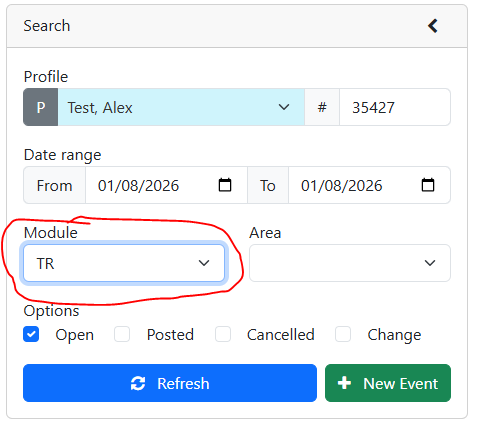
4.Click the New Event Button
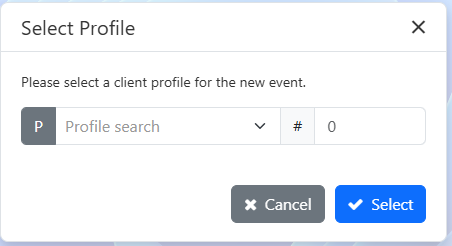
5.If you did not select a profile in step 2 you will now be prompted to
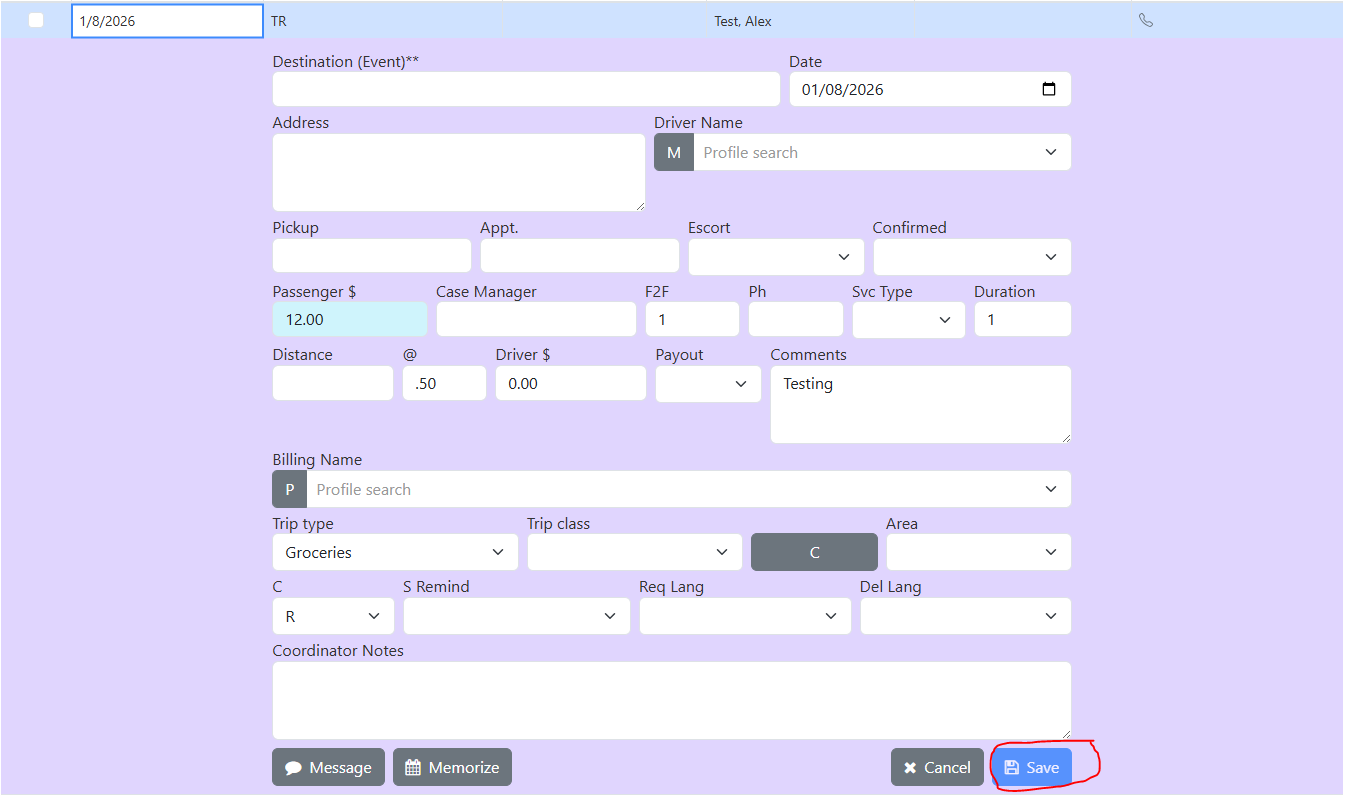
6.Event details are auto populated based on the profile
Event Editor
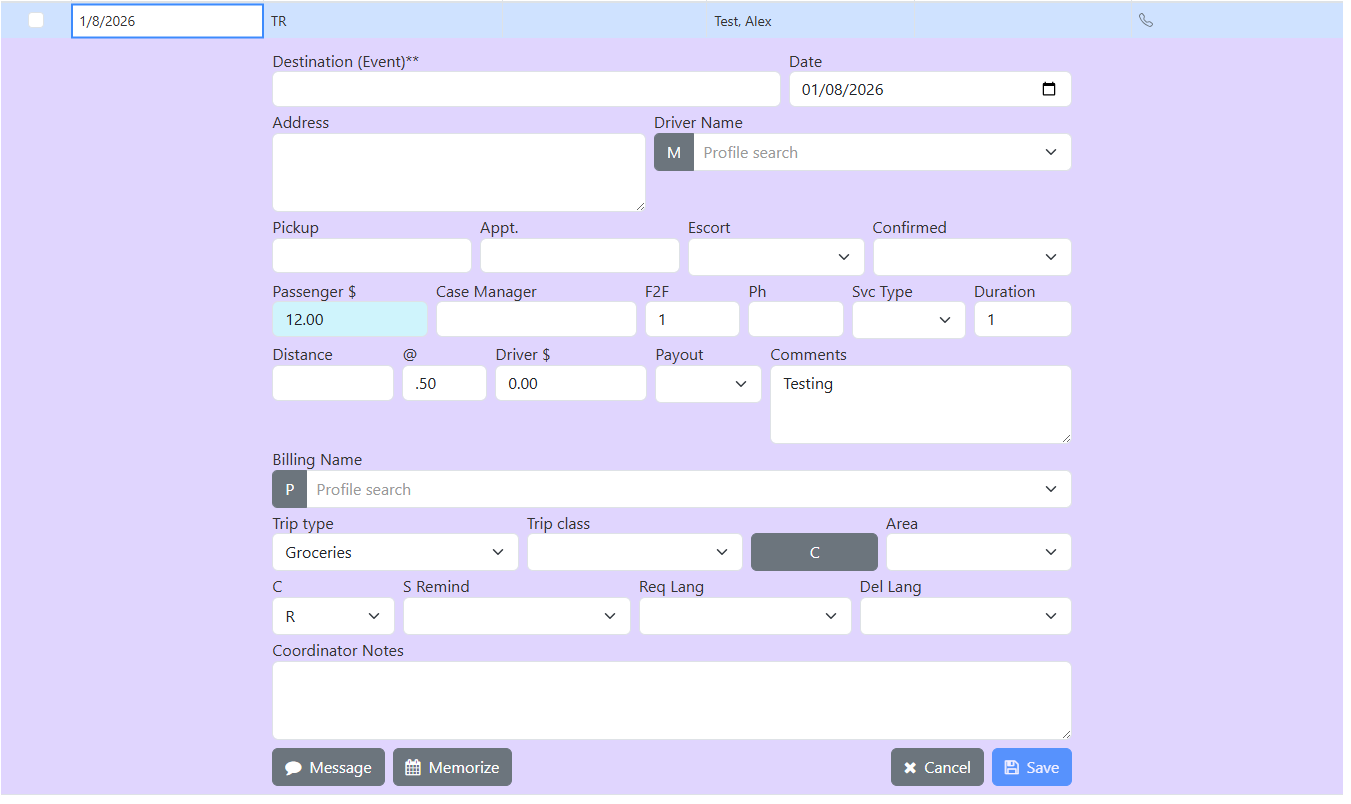
VS
Profile Editor
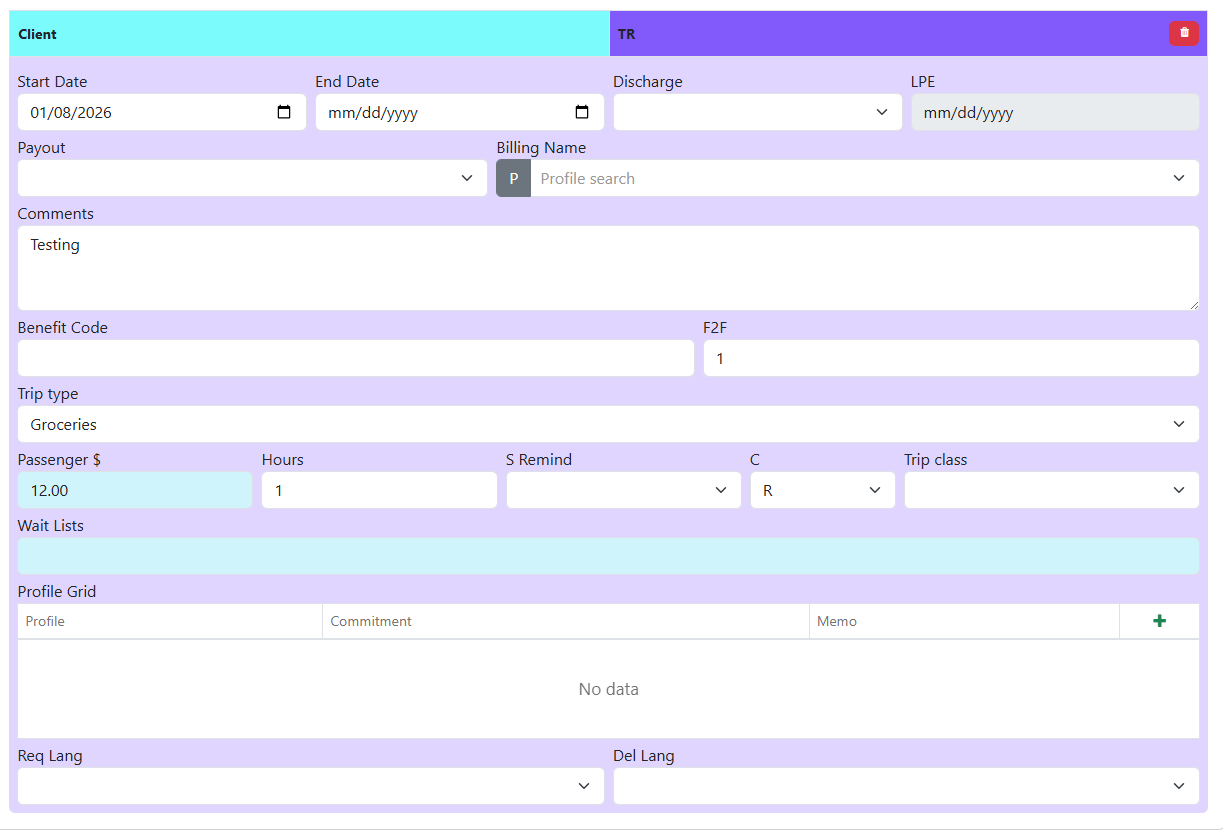
7.Fill in any remaining details (ex. Destination and Date)
8.Click the save button