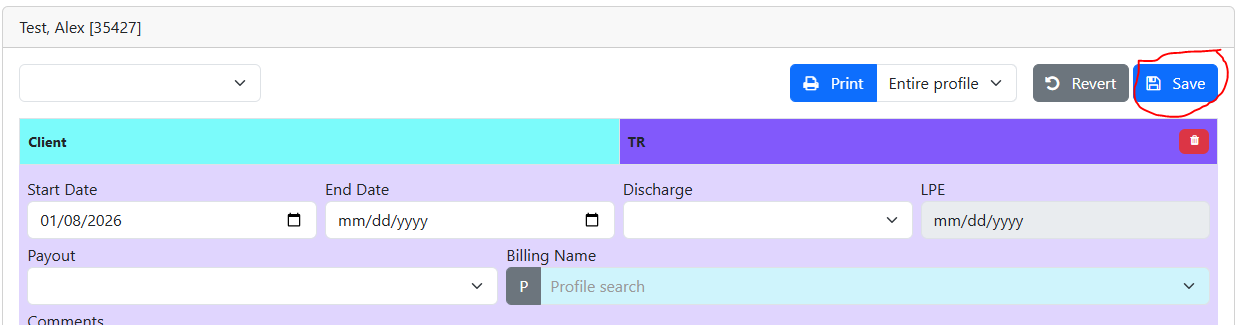
Click on a section to see more details
 Modules Abbreviations Modules Abbreviations
AAH
|
Aging at Home
|
ADSD
|
Adult Day Service 01A
|
ADSF
|
Adult Day Service 01B
|
AT
|
Asset Tracking
|
BA
|
Banking
|
BC
|
Breakfast Club
|
BP
|
Blood Pressure
|
CD
|
Congregate Dining
|
CI
|
Client Intervention
|
CG
|
Care Giver
|
EP
|
Easier Plus
|
FC
|
Foot Care
|
FF
|
55 Alive
|
FLU
|
Flu Clinic
|
FRZ
|
Frozen Meals
|
FV
|
Friendly Visiting
|
GF
|
Grand Friends
|
GO
|
Good Fellowship
|
GV
|
Grocery Van
|
HAL
|
Home at Last
|
HB
|
Handy Bus
|
HL
|
Home at Last (2nd version)
|
HH
|
Home Help
|
HHC
|
Hearing Health Clinics
|
HM
|
Home Maintenance
|
HMK
|
Home Making
|
IT
|
Income Tax
|
LL
|
Life Line
|
MC
|
Mail Courier Alert
|
MOW
|
Meals on Wheels
|
PE
|
Personnel
|
PEC
|
Public Education 09C
|
PS
|
Personal Support
|
RA
|
Respite 08A
|
RC
|
Respite
|
REF
|
Reference
|
SA
|
Socialization and Activation
|
SD
|
Senior Day Program
|
SM
|
Seasonal Maintenance
|
SN
|
Snoezelen Room
|
SR
|
Security and Reassurance
|
TR
|
Transportation
|
|
Description of Modules
Meals-on-Wheels
A support service that delivers a meal to an individual to meet their nutritional requirements; the meals are delivered by volunteers who provide a regular social contact and check the health and safety of the client.
Each meal delivered should be counted as one unit. For example, if 6 frozen meals are delivered at one time, count 6 units. On Form 14, the service provider should identify the total number of hot meals and the total number of frozen meals delivered = total meals.
Agencies should keep a log identifying the number of meals that were ordered but returned because the client was not available to receive the meal. The log should include the reason for non-delivery. The log should be reviewed regularly to identify ways of reducing undelivered meals. The results of the review should be recorded in the log.
The unit of service is one meal delivered.
|
Congregate Dining
A support service that provides transportation, a nutritious meal and a social activity to clients.
This service is targeted to those clients who are either in receipt of or eligible to receive other long-term care community services such as meals on wheels and homemaking/personal support/attendant/respite service. This service complements other services by providing a meal out of the home and an opportunity to socialize.
The service does not provide subsidization for the meals and social/recreational activities of the well elderly or other groups.
The unit of service is one attendance (includes two-way transportation, one meal served and social activity).
|
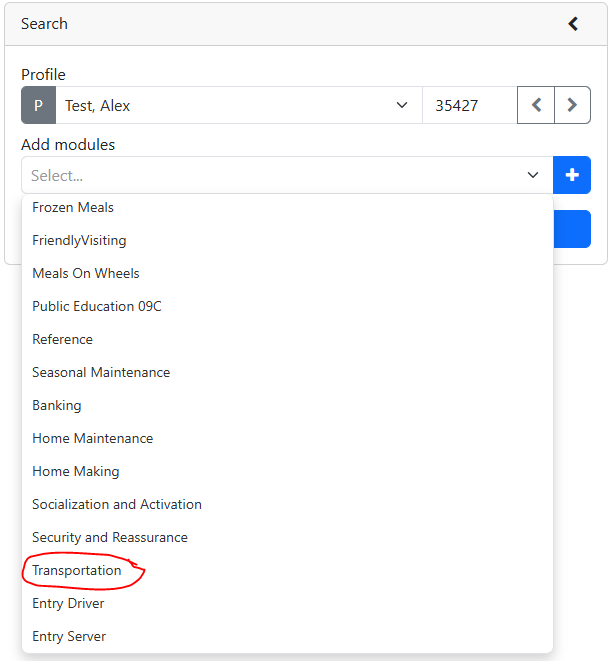
Transportation
A support service that provides escorted transportation to medical appointments, shopping and to various social activities and programs. Transportation is provided by agency staff or volunteers using private cars, agency vehicles, public transportation or assisting the person to walk to the destination, to individuals who meet the following eligibility criteria:
•Unable to access public transportation because of short or long term physical limitations such as heart disease, arthritis, Alzheimer disease and other cognitive impairments;
•Require escorts during the trip because of frailty or cognitive impairment;
•Specialized transit is not available or the individual does not meet the eligibility criteria; and
•Public transportation is not available and friends and relatives are not available or able to provide transportation.
The unit of service is 1-way trip (including return trip counts as 2 units of service).
|
Home Maintenance and Repair
A support service that arranges for an individual worker to undertake a home maintenance and repair job. Generally, the job is beyond the client's or their care giver's capability to undertake or arrange by themselves, friends or family. The job may be undertaken regularly, occasionally or one time only. Examples of regular jobs include heavy house cleaning, yard maintenance, snow shoveling, and washing outside windows. One-time jobs include assisting the client to arrange home repairs and renovations.
This service includes heavy housekeeping that is undertaken on an infrequent or periodic basis. Examples include but are not confined to:
•Seasonal house cleaning;
•Washing of indoor walls;
•Washing of drapes/slipcovers/upholstery;
•Indoor window washing;
•Scrubbing cupboards; and
•Cleaning out wood burning stove.
The unit of service for Home Maintenance and Repair Service is one hour of direct service.
|
Home Maintenance and Repair (Brokerage)
A support service that arranges for an individual worker or company to undertake a home maintenance and repair job. The job may be undertaken regularly, occasionally or one time only. Examples of jobs include heavy house cleaning, yard maintenance, snow shoveling, and washing outside windows. One-time jobs include assisting the client to arrange home repairs and renovations such as decorating, plumbing, electrical, roof repairs, masonry repairs and structural modifications for personal safety, barrier free access and quality of life.
This service includes heavy housekeeping that is undertaken on an infrequent or periodic basis. Examples include but are not confined to:
•Seasonal housekeeping;
•Washing of indoor walls;
•Washing of drapes/slipcovers/upholstery;
•Indoor window washing;
•Scrubbing cupboards; and
•Cleaning out wood burning stoves.
Generally, the job is beyond the client's or their care giver's capability to undertake or arrange by themselves, friends or family.
An Agency may use brokerage, contractors and/or volunteers. If the agency employs staff or enters into contracts with individuals or agencies to provide services such as snow shoveling, it must collect sufficient fees, donations and fund raising or use volunteers to cover the full cost of labour and transportation.
The unit of service of Home Maintenance and Repair Service is one job arranged.
|
Security and Reassurance
A support service that provides isolated persons or those with Alzheimer Disease or other dementias, with regular contact to determine that the client is not in crisis or at risk of harm. This service may be provided by a person visiting the home or by telephone call of less than 5 minutes, that checks the health and safety of the client.
Regularly scheduled friendly visits in the home are included under the Friendly Visiting service.
The unit of service is one completed contact.
|
Friendly Visiting
A support service that provides a volunteer on a one to one basis to visit an isolated senior, physically disabled adult, or person with Alzheimer Disease or other dementias, on a regular basis. The visits are generally made to the client's home but the volunteer can also do shopping for the client, take the client on a shopping trip, banking or to a social or cultural event.
The unit of service is one visit.
|
Respite Service (Paid Staff)
A support service provided in a client's home to provide relief family or friends from their care giving role and help relieve stress placed on family relationships. The service provided may include homemaking, personal care, attendant care, monitoring, supervision, and activation. The unit of service for respite care is 1 hour of direct client service.
|
Respite Service (Brokerage)
A support service provided in a client's home to provide relief for family and friends from their care giving role and to help relieve stress that is placed on family relationships. The service provided may include supervision, personal care, light housekeeping and meal preparation.
The unit of service is one match arranged.
|
Respite Service (Volunteer)
A support service in a client's home to provide relief for family and friends from their care giving role and to help relieve stress placed on family relationships.
The unit of service is one hour of direct client service.
|
Home Help/ Homemaking (Paid)
Home help/homemaking is a support service provided to assist with routine household activities such as light housekeeping, shopping and meal preparation. An agency may employ staff or volunteers to provide direct service.
The unit of service is one hour of direct client service.
|
Home Help /Homemaking (Brokerage)
Home help/homemaking is a support service provided to assist with routine household activities such as a light housekeeping, shopping and meal preparation.
The unit of service is one match arranged.
|
Foot Care
A service that arranges for a person trained in basic or advanced foot care in a congregate setting. Service includes trimming toenails, monitoring the condition of feet, bathing and massaging feet. A fee is charged to cover the direct cost of supplies and the staff who provide the service.
The unit of service is one completed foot care session per client.
|
Grand Friends
ITLC - Inter generational Teaching and Learning Communities. The Grand friends program is the recognition of the need of children for their grandparents (grand friends) and the need of seniors for active relationships with persons of all ages. It is a time of enjoyment, of learning new crafts, respect for each other's values, through the friendly support of an inter generational group.
Each grand friend (senior) works with three or four children from elementary schools. They share craft skills such as crocheting, woodworking, knitting, macramé, cooking, rug hooking, needle crafts, games etc… provides friendship, support and the gift of sharing the experiences of the past and the values of the future.
|
Socialization and activation
Offers activities and social interaction in a group setting for frail elderly. Assist them to achieve and maintain their maximum level of functioning to prevent premature institutionalization and to provide respite and information for care givers. Components of service include planned social, recreational and physical activities, meals, and transportation (if required).
Unit of service is One full day equivalent of attendance per client (two half days makes one day) so two half days count as one unit of service.
|
Breakfast club
A program where seniors can come together with other seniors an enjoy breakfast.
|
55 Alive
55 Alive Driver Refresher course is a one day education program for older drivers requiring updated skills and awareness information to improve driving skills and update traffic and defensive driving information.
|
Income Tax
Pensioners Concerned: Volunteers operate and manage the office, train new volunteers and govern Pensioners Concerned. Preparation of Income Tax, advice on financial concerns and pensions are available on a drop-in-basis from October to June.
|
Grocery Van
Schedule pickups at homes and takes the client to one location for grocery shopping. A fee is collected for the service.
Unit of service = 1 hour.
|
FundTyme
Maintains a complete history of donations by tracking how money is donated and who is donating it. Prints computer generated receipts, tax receipts and tracks receipts written manually during fund raising events. Prints reminder notes, phone lists and generate mailing lists that are exportable.
|
Asset Tracking
Tracks the movement of equipment. Such as, lending out of AV equipment or the addition of new computer hardware to the office.
|
|