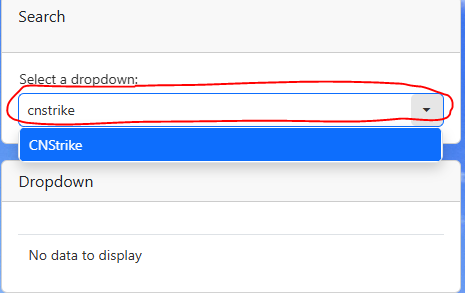
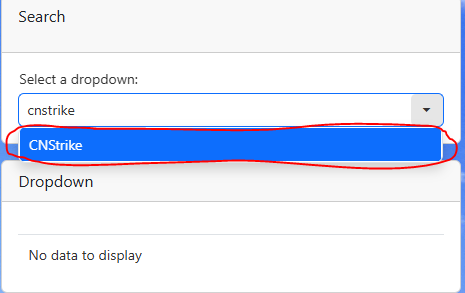
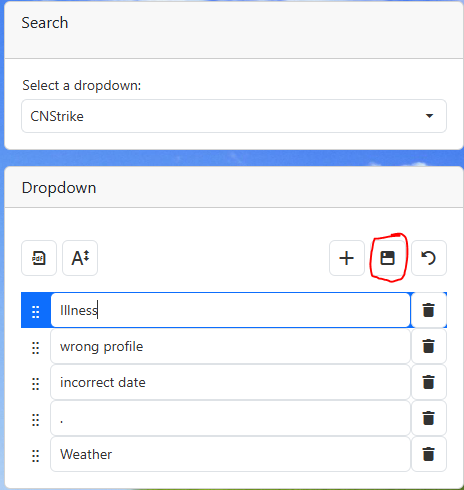
2.Search for the drop down name in the drop down. For these instructions we are using CNStrike. Please replace CNStrike with the drop down of your choice.
a.If you do not know the drop down you would like to search for look at the Important drop down list.
Below is a list of drop downs that you can edit and what they do
Drop down name
Result
CNStrike
Updates the drop down options for striking a case note
FCLocation
Updates the locations of the foot care clinics
peactivity
Updates the Employee Activity drop down in the PE module
CanSum
Updates the cancellation reason for canceling an event
Commentsummary
Updates the summary for the case notes
Usercl
Updates the UDP variables. UDP variables are used in Profiles, the Intake form, Reporting and other areas across NesdaTrak.
InvCategory
Updates the inventory category (ex. Meal, Soup, Dessert, etc.)
3.Select the drop down of your choice
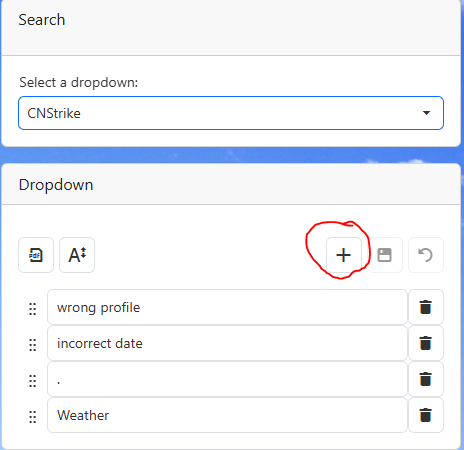
4.Click the plus button
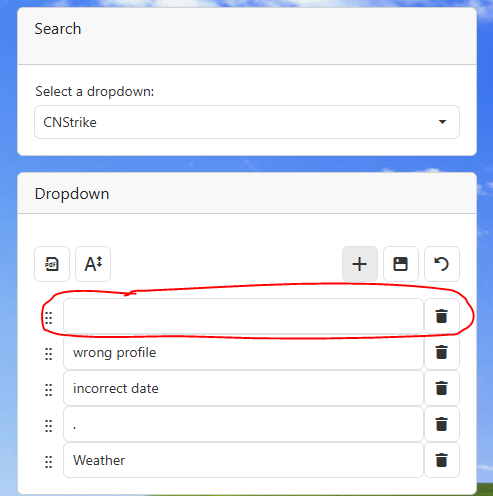
5.Enter the new information in the empty row
6.Click the save button
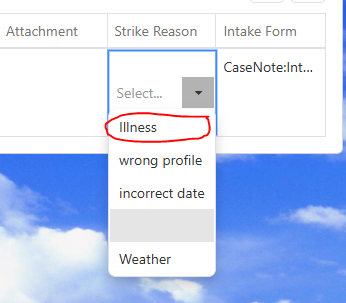
7.The new information will be displayed in the correct drop down.
a.Example: Strike reason will be displayed when striking a case note.
 Navigate to Edit Drop Down Prompts