
3.Right click on either the white space of the Row or the title of the Row.
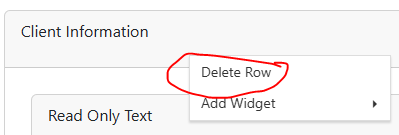
4.Click Delete Row
3.Right click on either the white space of the Row or the title of the Row.
4.Click Delete Row

F7 for caret browsing Hold ALT and press letter
| This Info: | ALT+q |
| Nav Header: | ALT+n |
| Page Header: | ALT+h |
| Topic Header: | ALT+t |
| Topic Body: | ALT+b |
| Exit Menu/Up: | ESC |