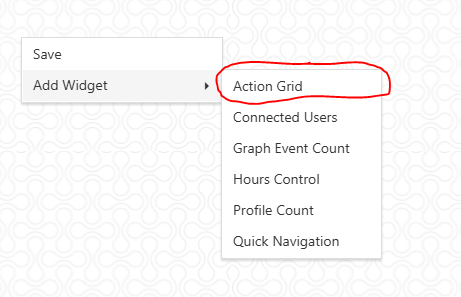
2.Right click on the screen
3.Hover over “Add Widget”
4.Click the widget you would like to add (ex. Action Grid)
5.Optional - Pull the bottom right corner of the widget to expand it.
a.Using your mouse click and pull the bottom right hand corner
Resize Widget